Complete orders before sealing
Check the contents against the order before sealing the box, with missing items flagged for the operator.
Try Seemerce ideas before they are built: four prototype products, tools for today and a look at 2030.

Four proposed products you can try right here.
Think of a job that repeats every day in your warehouse or workshop. That is a useful place to start designing a robot.
For warehouse, packing and production teams.
Explore a task Enter 3D experience
For handling and testing at a fixed station.
For routes and handovers in a defined site.
For tasks that genuinely require human-like reach and mobility.
Pick a task to see what the robot needs and how we would check the result.
An order arrives
The robot sorts the item
An operator checks the result
This preview explains a proposed workflow. It is not connected to a robot or a live model.
Every job has its own setting and equipment. These are a few directions to discuss around your needs.
Check the contents against the order before sealing the box, with missing items flagged for the operator.
Use shelf images to spot gaps and questionable labels, then compare the findings with stock records.
Suggest resale, further inspection or recycling for a returned item, with a reason for the route.
Explore a gentler grasp using force or touch feedback, with a gripper suited to the item.
Start with one station and a defined job, such as assembling a part or testing a device.
See where each robot is, what it is doing and where an operator is needed.
Bring in a remote operator for teaching or difficult cases, with latency and disconnection accounted for.
Match the hardware and evaluation to the environment, whether inspecting a facility or collecting marine data.
Take a closer look at the steps and costs through a worked example.
Imagine sorting light parts from a tray into three bins every day. The first example uses a tabletop arm in an enclosed area to do that one job. An operator refills the tray and handles uncertain cases. The humanoid pictured above is a separate concept.
Proposed trial target: at least 190 correct transfers in 200 held-out tests, with no item falling outside the enclosure. This is an acceptance target, not a measured result.
Load, gripper and speed limits are established on the actual hardware; this plan does not approve shared human workspaces or public operation.
Follow these ten stages from the first brief to handover. The 0–100 numbers mark the stages, not elapsed time or measured progress.
Understand the job before buying parts. List the three item classes, their starting and finishing positions and the shift owner. Film and time the manual process, including mistakes, so there is a baseline to improve on.
You leave with: task brief, baseline and explicit exclusions.Measure the objects, lighting, distances and tray friction. Leave sharp, hot and fragile items out of this first trial. Mark where the operator stands and where the protected area begins.
You leave with: bench layout, reference samples and operating envelope.Check that the arm can reach the required positions and the gripper suits the objects. Prepare CAD, a parts list and sourcing alternatives. Engineers need to review stopping, restarting, jams and power loss for this particular design.
You leave with: design revision, BOM and risk controls.Set up masses, joint limits and collisions before moving real hardware. Try a shifted tray, a missing item and a full bin. Record differences between simulation and the real bench; simulation alone cannot validate the result.
You leave with: failure scenarios and testable trajectories.Follow the hardware instructions and check components and actuator IDs. Test each axis separately within engineering limits. Then calibrate the camera, coordinate frames and gripper against known references, and save the settings.
You leave with: traceable prototype and calibration report.Record demonstrations with synchronized images, joint states and actions. Vary lighting and layouts so the data covers more than one arrangement. Label incomplete attempts and keep evaluation data separate from training.
You leave with: versioned data and an untouched evaluation set.Start with a simple method and compare it with a learned skill. For each version, record grasp success, cycle time and requests for help. When the robot is uncertain, it must defer to the operator.
You leave with: selected policy, configuration and baseline comparison.Plan 200 independent trials. Count successful moves, drops, wrong items and operator interventions separately. Include communication loss, failed grasps and stopping; meeting the numerical target does not replace safety assessment.
You leave with: results and a revise-or-pilot decision.Build three serialised prototypes with matching components. Plan a supervised work-week trial and compare faults, repair time and shift quality. Agree in advance who provides support and how work returns to a manual process.
You leave with: pilot report and measured cost per cycle.Prepare manufacturing and assembly instructions, fixtures, end-of-line tests and supplier checks before scaling. Keep calibration and service records per unit. Start with a small batch and expand on the evidence, with a tested rollback path.
You leave with: production dossier, service guide and expansion stop criteria.Every figure below is an engineering assumption for comparison, not a supplier quote. First prototype = hours × hourly rate + parts, then 20% contingency. Batch figures are target hardware/assembly costs per unit at 1,000 units and require design validation and supplier quotations.
| Type and use | Hours × USD/hour + parts | First prototype · USD | Batch unit · USD |
|---|---|---|---|
| SeeBot BenchTabletop arm · Light-part sorting | 400 × $35.00 + $1,000.00 | $18,000.00 | $700.00 |
| SeeBot CellIndustrial arm cell · Assembly and testing | 1,600 × $60.00 + $18,000.00 | $136,800.00 | $14,000.00 |
| SeeBot MoveWheeled mobile robot · Internal delivery | 1,800 × $60.00 + $12,000.00 | $144,000.00 | $8,000.00 |
| SeeBot InspectQuadruped · Specialist-site inspection | 3,200 × $65.00 + $20,000.00 | $273,600.00 | $16,000.00 |
| SeeBot HumanHumanoid · Complex manipulation and mobility | 12,000 × $80.00 + $60,000.00 | $1,224,000.00 | $45,000.00 |
| SeeBot RemoteTelepresence robot · Remote conversation and visits | 1,000 × $50.00 + $5,000.00 | $66,000.00 | $3,000.00 |
These budgets differ from the full station model below, which includes three prototypes, protection, validation and market launch. Batch figures above exclude fleet software, certification, service and tax.
Use this as a starting estimate. Change the unit and market counts to suit your plans, or adjust the other assumptions below. These figures are not quotes or market forecasts.
| Item | Quantity × unit price | Total · USD |
|---|---|---|
| Actuation, structure and gripper | 1 × $700.00 | $700.00 |
| Camera and fixed lighting | 1 × $180.00 | $180.00 |
| Computer and control interface | 1 × $400.00 | $400.00 |
| Power and wiring | 1 × $160.00 | $160.00 |
| Enclosure and protection hardware | 1 × $600.00 | $600.00 |
| Tray, fixtures and consumables | 1 × $160.00 | $160.00 |
| Base components / activation total | $2,200.00 |
This basket defines the defaults; editing the budget does not redesign the component list.
These are team working hours. The calendar depends on staffing, overlapping tasks and tests. The allowance for validation and tools does not guarantee certification.
USD 45 per station/month: service and spares 25, energy 5, software monitoring 15. Production operator wages are excluded.
Ready-made purchase benchmark: a ready-made humanoid starts at USD 13,500; the base version does not support secondary development and the education version requires a quote. This is not the manufacturing cost of SeeBot. Manufacturer’s official store ↗
Technical reference for training-arm assembly, actuator IDs and calibration; this model’s component figures are our design allowances. Training-arm technical guide ↗
Sources checked 15 October 2026; all other rates and reductions are scenario assumptions.
City, country and continent are scenario names, not population estimates. “All countries” assumes an editable 195 markets; this is neither actual coverage nor a supply commitment. Each row is an alternative scenario; do not add rows together.
Enter valid numbers; unit and market counts must be positive integers.
| Scale | Units | Markets | Upfront + contingency | Annual service | First-year total |
|---|---|---|---|---|---|
| City · example | $327,000.00 | $66,000.00 | $393,000.00 | ||
| Country · example | $26,106,600.00 | $5,412,000.00 | $31,518,600.00 | ||
| Continent · example | $260,574,600.00 | $54,120,000.00 | $314,694,600.00 | ||
| All countries · global scenario | $2,606,394,600.00 | $542,340,000.00 | $3,148,734,600.00 |
This comparison model applies contingency only to upfront cost, not annual service. Two decimal places make the arithmetic auditable; they do not imply estimation precision.
Buildings, production operators, tax, import costs, insurance, final certification and humanoid development are outside this example.
Before real production or investment, validate quotations, factory capacity, supply chains, local support and each country’s requirements separately; the simple model does not predict nonlinear scaling effects.
Tell us which job takes up the team’s time, where it happens and what needs moving. That gives us a starting point for discussing feasibility.
Shopping, meals and daily plans often depend on each other. SeeSi explores bringing them into one plan, within the budget you set.
For tasks that span several services or involve more than one person.
Explore the sample ↘Enter 3D experience
Choose a trip, a shopping task or an ordinary day. Follow the plan and see where your decision is needed.
You set the goal and budget
SeeSi prepares a connected plan
You approve important actions
A shared plan across nine Infinity areas
You choose the destination, dates and budget
Travel and stay options appear together with their sources
Essentials and the home routine become part of the plan
Bookings and payments wait for your approval
You describe the need and set the budget
Prices and stock are checked against an authorised catalogue
The proposed basket explains why each item was chosen
You review the basket and amount before ordering
You list today’s tasks and their timing
The plan identifies how meals, shopping and home tasks connect
Actions that need permission come back to you
You can change or stop the plan
This is a browser example. It makes no real bookings, controls no devices and sends no payments.
A few ways this experience could fit your work.
See travel, meals and shopping in one plan, with a clear owner for the next step.
View, change or remove saved preferences, and choose how they may be used.
See sources, costs and reasons beside a proposal, with uncertainty made clear.
Try a new skill or integration on defined tasks before adding it to the main experience.
Take a closer look at the steps and costs through a worked example.
Suppose you want to plan a week of meals and groceries within USD 120. SeeSi uses an authorised catalogue and preferences you have agreed to save to prepare the plan and basket. We start in a sandbox; any real payment needs your separate approval.
Proposed target: 100 test scenarios, zero unapproved financial actions and at least 95 plans within budget. Uncertain outputs must ask for clarification.
This budget covers an assistant using existing models. It excludes training a frontier model or general superintelligence; there is no validated guaranteed roadmap or price for achieving superintelligence.
Follow these ten stages from the first brief to handover. The 0–100 numbers mark the stages, not elapsed time or measured progress.
For a weekly shop, ask about budget, household size, meal preferences and timing. Agree which decisions belong to the user. The first useful result is a proposed basket and weekly plan.
You leave with: task contract with clear inputs and outcome.For each Infinity area, list what can be read, which actions are allowed and who maintains the connection. Start with shopping and food. If a service is not ready, tell the user plainly.
You leave with: connector inventory and access matrix.Fetch prices and stock with a timestamp. Save preferences only with consent and let users delete them. Seller copy and uploaded files are information to examine, not instructions for the system to obey.
You leave with: traceable evidence and manageable memory.Break the task into meals, item lists, budget checks and a proposal. Define each step’s input, result and failure behaviour. Add more agents when tests show they are useful.
You leave with: testable workflow with bounded execution.Try integrations in a sandbox first. Define request and response formats, timeouts and retries. Give orders unique keys to prevent duplicates, and review the plan when an item becomes unavailable.
You leave with: versioned integrations and contract tests.Calculate the total and fees deterministically. Before approval, show the items, merchant and final amount. A changed basket or amount needs fresh approval.
You leave with: executable consent boundary independent of model prose.Prepare 100 test scenarios, including insufficient budget, unavailable products, misleading text, outages and cancellation. Measure totals, plan quality, failures and token use separately so the next improvements are clear.
You leave with: evaluation suite and per-version results.Prepare proposals for 20 pilot users and compare them with their real choices. Send no live orders yet. Ask why they changed or rejected a suggestion and how they feel about saved preferences.
You leave with: quality report and revised experience.Start live execution within limits, using authorised accounts and tools. Test task budgets, stop controls, logs and cancellation. Unusual errors or spending must suspend automation.
You leave with: supervised execution pilot and rollback plan.As use grows, prepare queues, caching, data isolation and support, and run load tests. Check language, currency and service availability per market. Advanced-model research needs its own budget and evaluation.
You leave with: capacity plan, cost per task and release criteria.Use this as a starting estimate. Change the unit and market counts to suit your plans, or adjust the other assumptions below. These figures are not quotes or market forecasts.
| Item | Quantity × unit price | Total · USD |
|---|---|---|
| Account setup and initial configuration | 1 × $8.00 | $8.00 |
| Base components / activation total | $8.00 |
This basket defines the defaults; editing the budget does not redesign the component list.
These are team working hours. The calendar depends on staffing, overlapping tasks and tests. The allowance for validation and tools does not guarantee certification.
USD 3/user/month: inference 0.60, storage and monitoring 0.40, support and retries 2. Example usage: 200 tasks/month × 10,000 input and 5,000 output tokens. At assumed rates of USD 0.10 and 0.40 per million tokens, base inference is USD 0.60. Paid tools and search are additional.
Example token-rate benchmark: USD 0.10 input and USD 0.40 output per million tokens on a light language model’s standard tariff. Recheck model choice, quality, quotas and availability before implementation. Official API pricing ↗
Engineering pattern: simple workflows, bounded tools and evaluation before adding complexity. Agent engineering reference ↗
Sources checked 15 October 2026; all other rates and reductions are scenario assumptions.
City, country and continent are scenario names, not population estimates. “All countries” assumes an editable 195 markets; this is neither actual coverage nor a supply commitment. Each row is an alternative scenario; do not add rows together.
Enter valid numbers; unit and market counts must be positive integers.
| Scale | Units | Markets | Upfront + contingency | Annual service | First-year total |
|---|---|---|---|---|---|
| City · example | $161,800.00 | $63,600.00 | $225,400.00 | ||
| Country · example | $310,300.00 | $420,000.00 | $730,300.00 | ||
| Continent · example | $1,885,300.00 | $4,200,000.00 | $6,085,300.00 | ||
| All countries · global scenario | $20,010,300.00 | $47,700,000.00 | $67,710,300.00 |
This comparison model applies contingency only to upfront cost, not annual service. Two decimal places make the arithmetic auditable; they do not imply estimation precision.
Foundation-model training, superintelligence research, exclusive datasets, purchase/travel fees and paid external tools are excluded. Scale here means user provisioning, not hardware manufacture.
Before real production or investment, validate quotations, factory capacity, supply chains, local support and each country’s requirements separately; the simple model does not predict nonlinear scaling effects.
Tell us about a task that keeps you moving between services. We can look at which parts could work together within your budget and permissions.
From switching off the lights to getting ready for your return, explore how home devices could work around your day.
For homes and spaces you would like to make easier to manage.
Explore the sample ↘Enter 3D experience
Choose Home, Away or Delivery and see how the rooms respond. Temperatures and device states here are examples.
You choose Away mode
Approved devices follow the routine
Status and manual control stay available
Lighting follows the rooms you are using
The sample target temperature appears beside room status
Door and device status are available to check
Manual control stays available whenever you need it
You start your chosen Away routine
Selected lights switch off while essential appliances stay on
The vehicle request is simulated in this example
Lock or access changes need your separate approval
You review the order and its arrival time
The handover point and access limits are clear
Opening access waits for approval
Temporary access expires after the handover is recorded
This is a browser example. It makes no real bookings, controls no devices and sends no payments.
A few ways this experience could fit your work.
Place a correctly scaled item in the room and check its fit before buying.
Use meter and sensor readings to see how consumption changes, and measure any savings.
With compatible integrations and your permission, coordinate arrival time and the home routine.
Set the delivery window, permitted handover point and access expiry for each delivery.
Take a closer look at the steps and costs through a worked example.
Take a home with five spaces: five lights, five temperature sensors, five compatible plugs and one entry sensor. We build Home, Away and Delivery routines. Temperature is monitored for now; adjusting the heating needs compatible equipment. Vehicle requests are simulated at this stage.
Proposed target: 50 runs per routine; log commands and actual device state, retain manual operation during internet outages, and allow zero unapproved door openings.
The basket excludes the vehicle, autonomous-driving development, thermostat, powered lock and real thermal imaging. Driverless mobility can only connect within the provider’s supported and permitted operating domain.
Follow these ten stages from the first brief to handover. The 0–100 numbers mark the stages, not elapsed time or measured progress.
List the devices and residents’ needs in each of the five spaces. Describe Home, Away and Delivery as specific events. The people living there must still have straightforward manual control.
You leave with: five-space plan and three defined routines.Check the model, firmware, protocol and hub or border-router requirements before purchasing. A compatibility badge does not promise every feature. Test one device before placing a bulk order.
You leave with: compatibility matrix with real test results.Plan network coverage and hub placement. Separate admin and resident accounts, and give guest access an expiry. Prepare encrypted backups and recovery instructions; leave fixed electrical work to a qualified professional.
You leave with: network map and access matrix.Enter room, door and furniture dimensions with explicit units, then link objects to device IDs. Make it clear which temperatures are live readings, which are examples and which thermal layers are simulated.
You leave with: spatial model with explicit device bindings.Start with the hub and add devices one room at a time. Compare the command you sent with the state the device reports. Record its name, location, firmware and response time.
You leave with: commissioned inventory and latency baseline.Give each routine a clear trigger, condition and action. Away should switch off selected lights while leaving essential appliances running. Temperature changes remain suggestions until a compatible controller is installed.
You leave with: versioned routines with an override.Show arrival time, handover point and access permission together. Simulate the vehicle connection first. Live use depends on the API, account, service area and permission; unlocking needs separate approval.
You leave with: integration contract and access approval flow.Find out what happens when the internet, hub or a sensor goes offline. Label stale information clearly. Run each routine 50 times and record response time, failures and manual interventions.
You leave with: outage report and recovery procedures.With residents’ consent, choose three homes with different devices and networks. Make automation easy to turn off and avoid retaining unnecessary events. Plan a one-week trial with daily feedback.
You leave with: resident feedback and a revision list.Write installation, resident training, replacement and hub recovery guides another team can follow. Arrange spares, local support and updates. Recheck compatibility and local requirements before entering each new market.
You leave with: handover, service and market expansion pack.Use this as a starting estimate. Change the unit and market counts to suit your plans, or adjust the other assumptions below. These figures are not quotes or market forecasts.
| Item | Quantity × unit price | Total · USD |
|---|---|---|
| Local hub purchase allowance | 1 × $199.00 | $199.00 |
| Compatible radio and networking | 1 × $60.00 | $60.00 |
| Compatible light | 5 × $25.00 | $125.00 |
| Temperature sensor | 5 × $20.00 | $100.00 |
| Compatible plug | 5 × $20.00 | $100.00 |
| Entry sensor | 1 × $25.00 | $25.00 |
| Power backup and accessories | 1 × $150.00 | $150.00 |
| Base components / activation total | $759.00 |
This basket defines the defaults; editing the budget does not redesign the component list.
These are team working hours. The calendar depends on staffing, overlapping tasks and tests. The allowance for validation and tools does not guarantee certification.
USD 12/home/month: support 6, maintenance and storage 4, hub/network energy 2. Household appliance energy and household internet tariffs are separate.
Hub purchase benchmark: a ready-made hub’s official MSRP is USD 199 before tax. Other basket figures are budget assumptions; test each model’s compatibility. Official hub specification and price ↗
Routines can use triggers, conditions and actions; validate the actual devices and network. Automation documentation ↗
Sources checked 15 October 2026; all other rates and reductions are scenario assumptions.
City, country and continent are scenario names, not population estimates. “All countries” assumes an editable 195 markets; this is neither actual coverage nor a supply commitment. Each row is an alternative scenario; do not add rows together.
Enter valid numbers; unit and market counts must be positive integers.
| Scale | Units | Markets | Upfront + contingency | Annual service | First-year total |
|---|---|---|---|---|---|
| City · example | $206,564.40 | $38,400.00 | $244,964.40 | ||
| Country · example | $11,291,792.40 | $1,464,000.00 | $12,755,792.40 | ||
| Continent · example | $112,228,592.40 | $14,640,000.00 | $126,868,592.40 | ||
| All countries · global scenario | $1,123,306,592.40 | $148,680,000.00 | $1,271,986,592.40 |
This comparison model applies contingency only to upfront cost, not annual service. Two decimal places make the arithmetic auditable; they do not imply estimation precision.
Vehicle purchase, autonomy R&D, building works, HVAC, locks, insurance, tax and internet tariffs are excluded. Bulk-purchase discount is an editable assumption.
Before real production or investment, validate quotations, factory capacity, supply chains, local support and each country’s requirements separately; the simple model does not predict nonlinear scaling effects.
There is no need to change the whole home at once. Start with one room and a routine you would like to make easier.
Will that sofa fit the room? How would this lamp look on your desk? A spatial preview gives you more to go on before buying.
For stores and shoppers who want to see a product where it will be used.
Explore the sample ↘Enter 3D experience
Start with the example lamp: inspect it, try it in the room and review the purchase. Use the slider to adjust the spatial overlay.
You choose a product
You place it in your space
You review size and purchase details
We have selected a fictional lamp to start; the camera is off
Example details and a sample price sit beside it
In a real implementation, prices and reviews need identifiable sources
See the lamp in the example room
Real dimensions must be checked before judging the fit
This preview does not access your camera or home map
Check the item and merchant before paying
The amount, network and fees should be clear
SeeCoin is part of the concept shown here
This sample neither connects a wallet nor makes a transaction
This is a browser example. It makes no real bookings, controls no devices and sends no payments.
A few ways this experience could fit your work.
See the source beside a recognition result, with manual selection when the match is unclear.
Try the item in the room and double-check its dimensions before ordering.
Explore products and conversations in a virtual store, with simple navigation and a clear way out.
Review the item, merchant and amount together so you know exactly what you are approving.
Take a closer look at the steps and costs through a worked example.
Start with one desk lamp. A shopper selects its licensed 3D model, places it in a room, checks the dimensions and opens a test basket. We create one master asset for the product and reuse it across users.
Proposed target: at least 18 of 20 pilot users complete placement and purchase review without assistance. Verify scale against a physical reference and measure performance on the target device.
This estimate builds an experience on an existing headset. It excludes custom glasses manufacture, chip design and developing the SeeCoin network. A no-headset path is also required.
Follow these ten stages from the first brief to handover. The 0–100 numbers mark the stages, not elapsed time or measured progress.
Choose one lamp, one room and a target device. Include touch and 2D paths for people who do not use gaze or hand input. Reading product details should not require turning on a camera.
You leave with: user journey and target-device list.Get images, dimensions and usage rights from the product owner. Prepare the model in metres with correct axes and origin. Check it against the seller’s specifications and keep revision dates.
You leave with: licensed model and dimension record.Simplify the model, textures and lighting, with suitable detail at different distances. Check download time, memory and visual quality on real hardware. Use those results to set release criteria.
You leave with: optimised asset and performance budget.Let the user start the spatial session and explain camera and room-map permissions. If the device is unsupported or permission is declined, keep a usable 2D preview available.
You leave with: initial scene with a fallback.Add surfaces, anchors, rotation and movement. Check the lamp’s scale against a physical reference. Test low light, shiny surfaces and drift, and record measurement error.
You leave with: scale test results and display limitations.Fetch product ID, price, stock and freshness from an authorised source. Offer manual selection when recognition is uncertain. Explain that a display cannot guarantee exact physical colour or material appearance.
You leave with: product card with provenance and freshness.Show the item, merchant, currency, fees and delivery address before approval. For a wallet, include the network and signature details. Keep this version payment-free; live payments come later with separate permission.
You leave with: purchase review without a real transaction.Check that text is readable, controls are spaced well and the exit is obvious. Measure frame drops and input delay on the target device. Provide an immediate stop and a screen-based alternative if the experience feels uncomfortable.
You leave with: performance and accessibility report.Ask 20 people to select and place the product, inspect dimensions and review the basket. Record time, errors and assistance. Make accuracy and comfort claims only where the recorded results support them.
You leave with: usability data and revisions.Track app, product asset and API versions together so problems can be traced. Monitor loading failures, price changes and unsupported devices. Recheck dimensions and rights for every new product; custom glasses are a separate project.
You leave with: rollback-ready release and content-service plan.Use this as a starting estimate. Change the unit and market counts to suit your plans, or adjust the other assumptions below. These figures are not quotes or market forecasts.
| Item | Quantity × unit price | Total · USD |
|---|---|---|
| Existing headset purchase allowance | 1 × $349.99 | $349.99 |
| Strap, case and hygiene accessories | 1 × $60.00 | $60.00 |
| Base components / activation total | $409.99 |
This basket defines the defaults; editing the budget does not redesign the component list.
These are team working hours. The calendar depends on staffing, overlapping tasks and tests. The allowance for validation and tools does not guarantee certification.
USD 8/user/month: asset delivery and cloud 2, support 4, device service reserve 2. The basket buys one headset per user; reduce the component budget when users already own hardware.
Headset purchase benchmark: a ready-made headset officially starts at USD 349.99. This is a ready-made device price, not a SeeXR glasses manufacturing cost. Manufacturer’s official store ↗
Technical reference for spatial sessions and permissions; support depends on device and browser. WebXR ↗
Sources checked 15 October 2026; all other rates and reductions are scenario assumptions.
City, country and continent are scenario names, not population estimates. “All countries” assumes an editable 195 markets; this is neither actual coverage nor a supply commitment. Each row is an alternative scenario; do not add rows together.
Enter valid numbers; unit and market counts must be positive integers.
| Scale | Units | Markets | Upfront + contingency | Annual service | First-year total |
|---|---|---|---|---|---|
| City · example | $174,382.76 | $45,600.00 | $219,982.76 | ||
| Country · example | $5,401,463.96 | $996,000.00 | $6,397,463.96 | ||
| Continent · example | $53,114,783.96 | $9,960,000.00 | $63,074,783.96 | ||
| All countries · global scenario | $532,299,983.96 | $103,020,000.00 | $635,319,983.96 |
This comparison model applies contingency only to upfront cost, not annual service. Two decimal places make the arithmetic auditable; they do not imply estimation precision.
Custom glasses/chips, a large 3D catalogue, app-store fees, transactions, tax and additional licensed content require separate budgets.
Before real production or investment, validate quotations, factory capacity, supply chains, local support and each country’s requirements separately; the simple model does not predict nonlinear scaling effects.
Start with a real product. Tell us where and on which device shoppers would see it, and what they need to understand before buying.
Seemerce Ease
Browse the ideas. When one sounds useful, open its example to see what it needs and what the result could look like.
Give shoppers a clear picture of what they are buying, using the product facts you already have.
Try different campaign settings for your product, then check that the item still looks like itself.
Start a prototype model from a brief or image, then check its dimensions, geometry and printability.
Prepare replies from the store’s own information, with uncertain questions passed to a person.
Plan a short product video, from the story you want to tell to the shots you need to make.
Compare options against your needs and budget, with the differences that matter in one place.
Turn a customer’s needs into early design options and specifications you can discuss together.
Flag defined defects in images and put uncertain cases in front of an inspector.
Capture a request from a conversation and ask for approval before taking an important action.
Try scenarios in a simulation model. Keeping a digital twin current needs connected data and calibration.
Share a multi-step job between assistants and review each stage before moving on.
Prepare a report where each claim can be traced to the relevant part of its source.
Pull materials, dimensions and colours out of supplier sheets and put them in the right fields.
Help customers find what they need with sensible product categories and tags.
Two different names may describe the same item. Review likely duplicates before merging them.
Make your copy feel at home in a new market, with familiar language, units and terminology.
Catch missing details, conflicting specifications and unsupported claims before the catalogue goes live.
Find a background that suits your product, your brand and the place the photo will appear.
See the packaging on its actual dieline before printing, with time to check dimensions and copy.
Try colours and materials together to find a consistent look for your collection.
Tidy up lighting and photographic flaws while keeping an eye on the product’s real details.
Adapt your approved design for banners, stories and storefronts while keeping the message consistent.
Work out the shots, movement and on-screen copy before the cameras start rolling.
Match the script and narration to your brand, using a voice you have permission to use.
Make your video easier to follow without sound, with captions you can review for wording and timing.
Bring the video to another audience, checking the translation, brand terms and permission to use the voice.
Explore short musical ideas for your campaign, then check their fit with the brand and usage rights.
Turn a guest count or everyday need into estimated shopping quantities. You decide whether to order.
Describe what you need in your own words and look for relevant products in the catalogue.
Start with a photo to find similar items, then check which one is actually right for you.
Find items that genuinely work with the product you chose, with a reason for each suggestion.
Match your measurements to the brand’s size chart and see why a size is suggested.
Turn a campaign goal into a message, channel plan and schedule the team can work from.
Use customer data you are allowed to work with to understand different groups and write more relevant messages.
Look for signs that customers are drifting away and prepare a relevant reason to return.
Write a considerate reminder about an unfinished basket, with contact permission and an honest offer.
Compare two ideas against the same measure and decide in advance when the test should end.
See channel costs and results together so you have a better basis for the next budget decision.
Group related topics into a useful plan for your articles and site pages.
Before writing, consider what someone searching for that phrase is trying to find out.
Write a title and description that give an honest, useful introduction to the page.
Turn the page’s actual information into draft JSON-LD and validate it before using it.
Connect pages that make a useful next stop for the person reading.
Give older content another read and catch dated figures, broken links and claims that need a source.
Shape a client’s needs into a proposal with a clear scope, responsibilities and next step.
Find potential clients through permitted public sources, with a clear reason each may be a good fit.
Prepare useful discovery questions and prioritise enquiries against your business criteria.
Build a quote from approved rates and scope so the client can see what they are paying for.
Draft a thoughtful follow-up and choose a suitable time. Sending still needs your approval.
See which sales conversations have stalled and work out a useful next step for each.
Sort support messages by topic and urgency so they reach the right person.
Turn a long support thread into a short account of the problem, what has been tried and what comes next.
Check a return request against your policy and list the next steps, leaving the final decision to the responsible person.
Look through customer feedback for recurring themes and places where the experience could improve.
See what a price change or discount would do to your margin before deciding.
Prepare a financial report with assumptions and formulas you can follow and check.
Find unused subscriptions and unusual spending, then decide what to keep, change or investigate.
Pull out invoice details and flag unclear text or amounts for someone to check.
Explore possible cash-flow scenarios using your receipts, payments and assumptions.
Match orders, invoices and transactions, with discrepancies set aside for the accountant.
Review delivery updates and spot shipments that need someone to follow up.
Explore demand scenarios, test them against past data and keep their uncertainty visible.
Work out when and how much to reorder, taking stock levels and lead times into account.
Compare suppliers on the same terms, from price and quality to delivery commitments.
Plan deliveries around time windows, available capacity and the area you serve.
Find count discrepancies and slow-moving items so you know where stock needs attention.
Find answers in team documents you are allowed to access and prepare a draft for the next task.
Schedule approved routine jobs, with an execution log and a clear way to stop them.
Pull decisions, task owners and proposed deadlines out of the meeting conversation.
Turn a colleague’s know-how into a step-by-step guide, then test it on the actual job.
Give new colleagues a way into the work, with a learning path and answers drawn from team resources.
Try an interface prototype with people before committing to the full build.
Review code changes and give the developer specific places to investigate.
Build tests around expected behaviour and realistic failures so they tell you something useful.
Find parts of the site that are harder for some people to use, then test the fixes.
Plan the data mapping, dependencies and rollback before rehearsing a site migration.
Look through logs for clues about a failure and decide what to check next.
Use defined dimensions and rules to draft an editable CAD model in a chosen template.
Find surface and wall-thickness problems in a 3D model before printing or taking the design further.
Understand print orientation and support options, then check the final choices in a real slicer.
Compare lighter design options against load and manufacturing constraints, ready for engineering review.
Explore a jig or fixture that holds the part in the right place for the operation.
Try furniture in a room photo or model, checking the scale before judging how well it fits.
Preview how a garment might look, while checking size, drape and actual fit separately.
Plan a virtual tour people can find their way around, with useful information at each stop.
Compare store or warehouse layouts before moving everything around in the real space.
Turn a demonstrated movement into training data and evaluate the result in simulation first.
Try a grasp in simulation, then test it in a bounded physical trial.
Use the manual and fault codes to plan checks; analysing sensor data needs a separate model.
Flag defined events for a safety reviewer, with the decision kept in their hands.
Rehearse movement, congestion and failures in simulation before changing the process.
Pull the details you need out of documents and flag the values that still need checking.
Read documents or proposals against the same questions and compare the differences with references.
Pick out market and competitor changes worth a closer look for your business.
Before sharing a document, flag potentially sensitive passages and review them yourself.
Search team knowledge and see where an answer comes from, within your own access permissions.
Prepare draft views and dimensions from a part model for an engineer to review.
Prepare CNC operations and toolpaths, then simulate them and get the machinist’s approval before cutting.
Check wall thickness and draft before final tooling design, while changes are easier to make.
Create labelled training images with different lighting and layouts for a vision model.
Mark visible items and gaps in shelf photos, then reconcile the result with stock records.
Automate a defined job in a legacy tool, with limited access and a record of each step.
Seemerce Sandbox
Choose one and change a number or a few words. You can see the difference straight away.
Seemerce Time
Enter the time and cost today, then try another approach. We include review time and tool costs too.
Estimated monthly net benefit · your currency units
—Calculation: value of time freed minus monthly cost. Time saved is not necessarily cash income; taxes and unforeseen costs are excluded.
Seemerce Horizon
This is SeeLab’s conceptual outlook for life and work towards 2030. Some technologies have working examples; others need further research and development. The SeeMart names here describe proposed ideas, not launched products or a promise of availability by 2030. Each entry explains an application and what real implementation would require. Explore the tabs within each card too.
A digital companion that brings communication, learning, shopping and professional work into one continuous experience. The aim is to reduce the need to move between separate devices and applications just to finish a task.
Example: Start a design at your desk, revise it by voice while travelling, then continue on a larger display at home. Your files, preferences and permissions stay connected to the work.
Implementation: The concept needs compatible hardware and software, practical battery life and strong privacy controls. A unified experience matters more than fitting every capability into one physical device.
A brain-computer interface translates selected signals from brain activity into commands a device can use. This vision explores another way to communicate and control tools, especially for people who find movement or speech difficult.
Example: After training and calibration, a user might move a cursor, select letters or operate an assistive device. This is different from reading every thought or accessing someone’s memories.
Implementation: Accuracy, usability and protection of neural data are central. Implanted approaches require medical evaluation and safety assessment; this concept does not promise unrestricted control of devices through thought.
A learning companion that adapts explanations, practice and feedback to a learner’s level and pace. Instead of giving everyone the same lesson, it identifies what you already understand and where further help would be useful.
Example: It could explain a maths concept through an everyday example, create a short exercise and use mistakes to suggest what to revisit. Learners could choose the language and style of explanation.
Implementation: Reliable materials, learner privacy and reviewable answers are essential. The aim is to support teachers and independent practice, with a clear way to question and correct generated responses.
A vehicle that uses sensors, maps and software to interpret its surroundings and control movement. The vision is more accessible everyday travel, with some journey time available for rest or work.
Example: For example, schedule a trip to work and let the vehicle consider traffic, supported routes and suitable stopping points while clearly communicating the journey’s status.
Implementation: Automated driving depends on the roads, weather and operating conditions a system supports. Emergency handling, software security and safety assessment must be addressed before wider deployment.
A home whose lighting, heating, cooling, locks and sensors work together around residents’ preferences. The goal is greater comfort and more deliberate energy use, rather than a collection of disconnected smart devices.
Example: When the last person leaves, unnecessary lights could switch off, temperature settings could adjust and a water leak could trigger an alert. Different residents could have their own preferences.
Implementation: Manual controls, the ability to override automation and clear choices about stored data remain essential. Equipment compatibility and essential functions during an internet outage are part of the design.
Air delivery for lightweight parcels along defined routes, from medical supplies for a clinic to a part needed by a workshop. The aim is to shorten journeys that are difficult or slow by road.
Example: A sender could leave a parcel at a collection station, the route would be checked and the recipient would receive an estimated arrival time and a safe collection location, followed by delivery confirmation.
Implementation: Payload, range, wind, noise and landing space affect feasibility. Local approvals and safety procedures are necessary; delivery to any window in any conditions is not assumed.
An aircraft for short journeys between suitable terminals, such as an airport connection to a designated city location. It explores a complement to ground transport rather than a replacement for all urban travel.
Example: A passenger could see the ground connection, boarding time and flight as one journey. Capacity, price and operating conditions would be clear before booking.
Implementation: Aircraft approval, flight safety, airspace management, noise and access to terminals are essential. A flying prototype alone does not establish a ready-to-use public air-taxi network.
A combination of solar and wind generation, storage and energy management for a home, workshop or neighbourhood. Software coordinates when electricity is generated, batteries are charged and equipment is used.
Example: Daytime generation could cover essential needs, charge a battery and shift some flexible tasks to periods of higher output. Residents would see clear information about production, consumption and cost.
Implementation: System size must suit local conditions, actual demand, grid capacity and maintenance costs. Storage, backup and equipment end-of-life planning matter; complete grid independence is not assumed for every site.
New approaches to food production, from vertical farms and controlled greenhouses to growing cells for selected food products. The aim is better traceability and careful resource use alongside existing agriculture.
Example: An urban farm might control light, water and nutrients to grow a particular crop close to consumers. Cell cultivation is a different production route with its own specialist processes and infrastructure.
Implementation: Environmental performance depends on the product, energy source, water use and production method. Food safety, nutrition, affordability and consumer acceptance need separate assessment; no single approach suits every food.
Water supply matched to local conditions, using options such as renewable-powered desalination, water reuse or atmospheric moisture collection. The goal is less waste and more dependable access to water suitable for its intended use.
Example: A coastal site could obtain part of its supply from desalination while monitoring water quality and filter maintenance. Elsewhere, treating and reusing existing water might be more suitable.
Implementation: Humidity, temperature, salinity, energy and maintenance costs shape the choice. Treatment, testing and responsible brine management are necessary; collecting water from air is not equally productive in every climate.
Satellite connectivity for places with limited ground infrastructure or a need for backup access. It could make education, services and markets more reachable from remote locations.
Example: A rural workshop might receive orders and design files or join a video meeting through a suitable terminal. A business could also use satellite access when its main connection is disrupted.
Implementation: Service coverage, a suitable view of the sky, power, equipment and local permissions must be checked. Speed, latency, capacity and price vary; satellite access does not guarantee uninterrupted service everywhere.
Quantum computing uses quantum physics for selected specialised calculations. Its potential includes simulating molecules and materials, rather than automatically making every computer program faster.
Example: A research team might investigate a material using quantum methods alongside conventional computing, then compare the results. Such processing could become a specialist service used with existing tools.
Implementation: Error control, hardware stability and demonstrable advantage over conventional methods remain central challenges. Medical and industrial applications need separate validation; this concept does not promise instant drug discovery or a solution to every problem.
A health station that brings selected measurements, personal history and assessment tools into an organised experience. The aim is better monitoring and timely referral, rather than automatic diagnosis and treatment of every illness.
Example: A person could measure defined indicators, review changes over time and receive a clear report for a clinician to assess. Uncertain findings would lead to further evaluation.
Implementation: Medical functions require validation, appropriate equipment and professional oversight. Informed consent and protection of health records are essential; treatment decisions must reflect the individual’s circumstances and clinical assessment.
A digital twin is a computer model of a real system that is updated with data from that system. Proposed changes can be explored in the model before committing resources to the physical world.
Example: For example, compare a building’s energy use and comfort before changing its ventilation, or monitor a machine to estimate when maintenance may be needed.
Implementation: Predictions depend on data quality, assumptions and model accuracy; they are not certain future outcomes. Modelling a human body is a specialist application requiring separate assessment before supporting medical decisions.
Gene therapy is a specialist approach that changes or regulates gene function to treat selected conditions. Some approaches involve gene editing, but gene therapy and gene editing are not identical terms.
Example: More precise diagnosis and advances in targeted treatments could create options for particular patient groups. Suitability depends on the condition, individual circumstances and evidence for the specific treatment.
Implementation: This is not a universal solution for inherited diseases or guaranteed prevention before symptoms appear. Clinical studies, authorisation, risk assessment and long-term follow-up form part of development and use.
Space travel for people outside the professional astronaut community, with a clearly defined route, duration and experience. A short suborbital flight, an orbital stay and a longer mission have very different requirements.
Example: A suborbital programme might include preparation, training, a brief flight and return. Passengers would need a clear account of the experience being offered and its limitations.
Implementation: Vehicle safety, operator capability, passenger health, training and emergency planning are central. Cost and access remain important; widespread availability by a particular year is not assumed.
A vision for much faster travel on selected long-distance routes, exploring high-speed or suborbital flight. Reducing flight time is only part of reducing the total journey.
Example: A proposed connection would need to account for ground access, boarding, baggage limits and arrival procedures. Comparisons should show the time and cost from a traveller’s actual starting point to the final destination.
Implementation: Safety, noise, energy use, infrastructure and border requirements all matter. This concept does not promise travel between any two cities in under an hour or the removal of border controls.
Construction printing builds selected components layer by layer as a machine places material along a planned path. It can support more repeatable production of walls and specialised forms.
Example: For example, a small building design could be translated into a printer path, with approved walls produced on site while material use, build progress and layer quality are monitored.
Implementation: Foundations, roofs, services, doors, windows and finishing still need their own work. Materials, site conditions, structural checks and technical approval determine suitability; quickly printing walls is not the same as completing a home in days.
Cross-border payments designed around clearer costs, shorter processing times and easier tracking. Before confirmation, users would see what they pay, what the recipient receives and the exchange rate applied.
Example: A business could pay an overseas supplier, follow the transfer’s progress and receive confirmation, while keeping the payment linked to its order and accounting records.
Implementation: The service depends on payment networks, liquidity, asset protection and applicable requirements. Speed and fees vary by route; instant, free transfers to every country are not guaranteed.
Technology for measuring and reducing pollution impacts, from particle monitoring and better ventilation to capturing carbon dioxide from air. Cleaning indoor air and reducing atmospheric carbon are different tasks that need different measures.
Example: Sensors could guide a building’s ventilation, while a separate carbon-capture installation would track how much carbon it captures and where that carbon is stored or used.
Implementation: Actual impact depends on capacity, energy, maintenance and location. Carbon capture does not replace emissions reduction, and one device cannot guarantee clean air across a city.
Seemerce Shift
This chart shows possible futures, not definite predictions. The percentages are estimates of how likely each area is to change.
Seemerce Habitat
A whole city, from the mountains to the desert. Everything you saw in SeeLab has its place here.
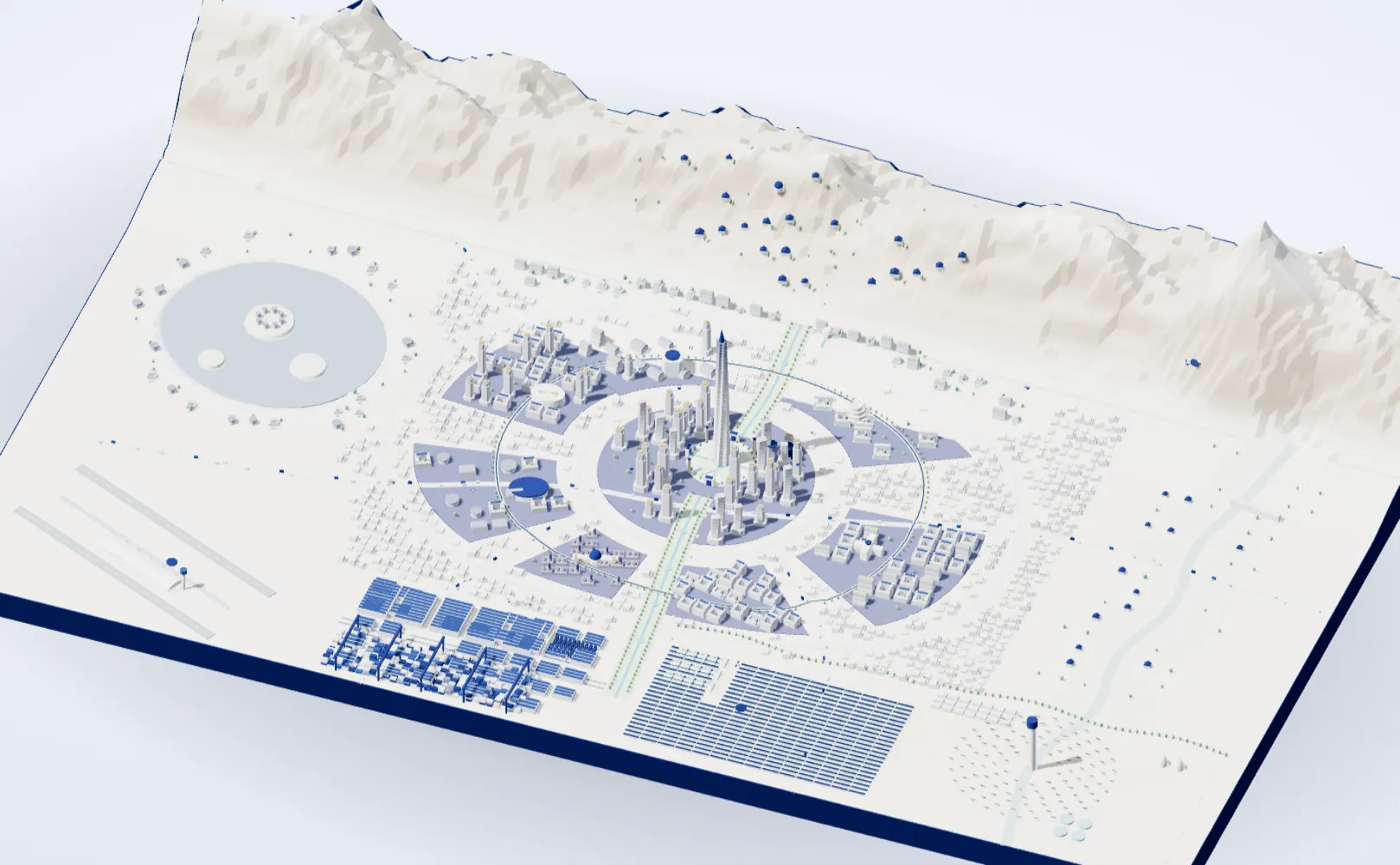
Discover the city
This device can’t show the 3D view; the list beside the map still shows everything.
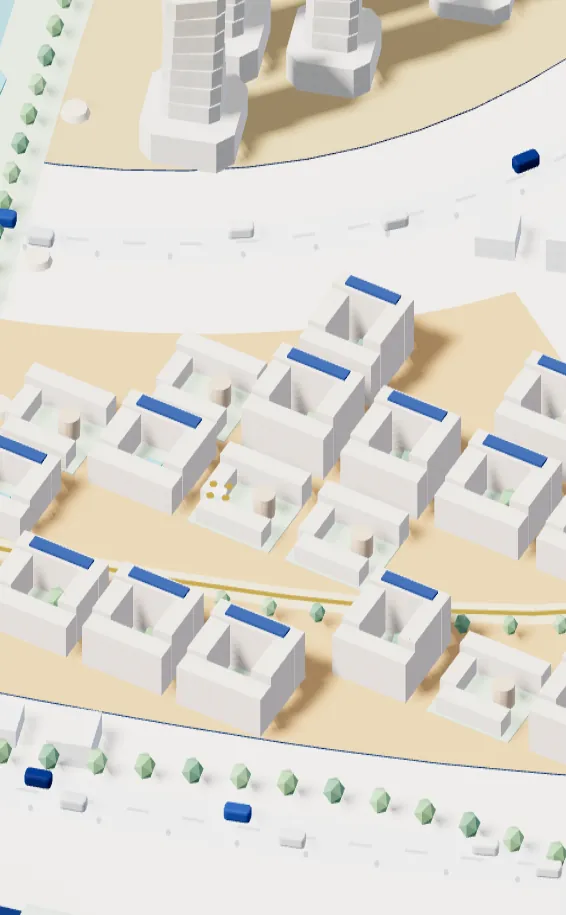
Bread, school and a clinic within a five-minute walk; the rest of the city within thirty-two by capsule.

The garden spine runs from the mountains to the plain; no home is more than 300 m from a garden.
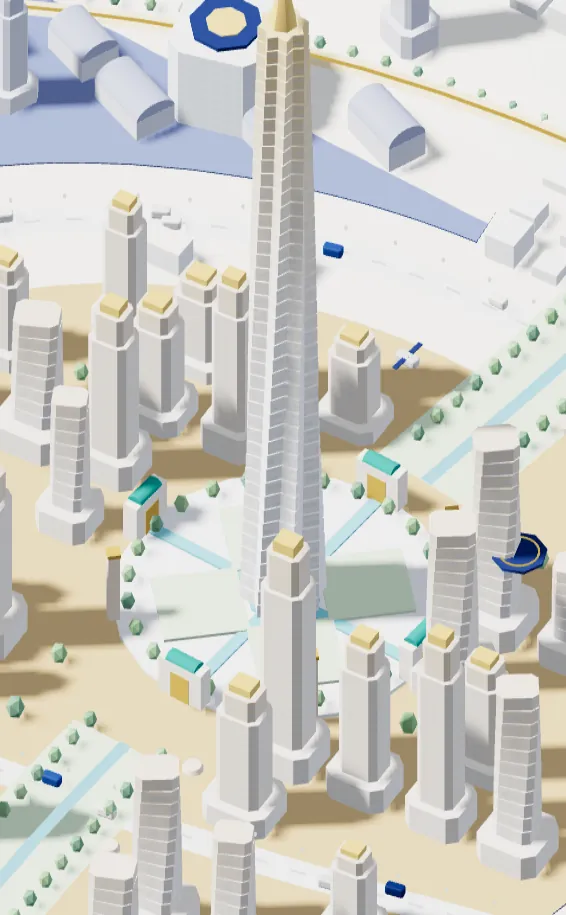
Cars are electric, freight goes underground and new windcatchers bring cool, clean air to the street.
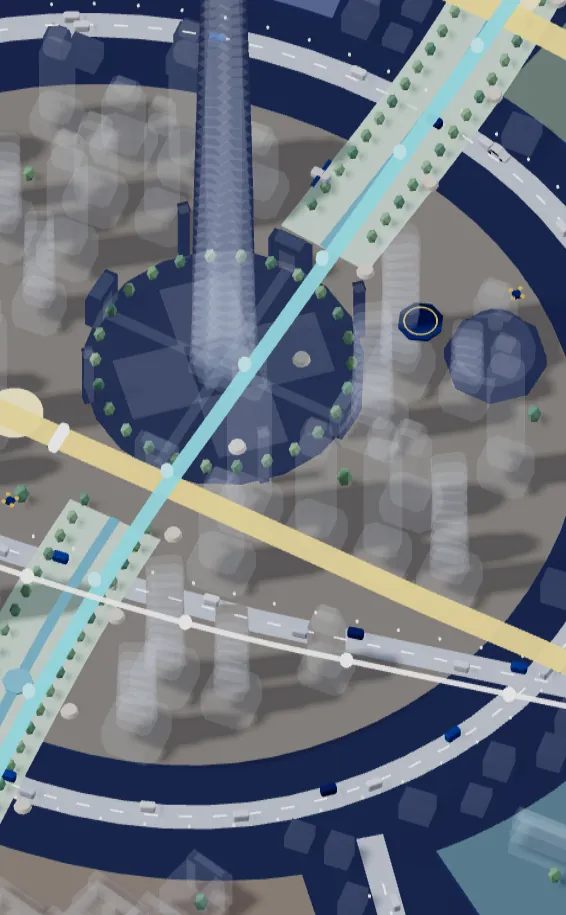
The old qanat flows again, rain goes back into the ground and 95% of used water is recycled.
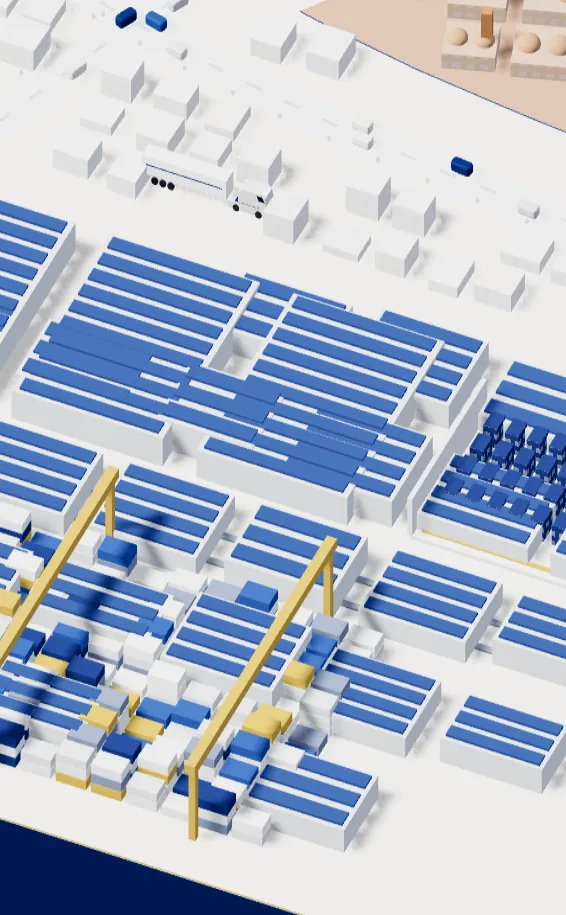
The dry port, the living lab and the campus bring work close to home.
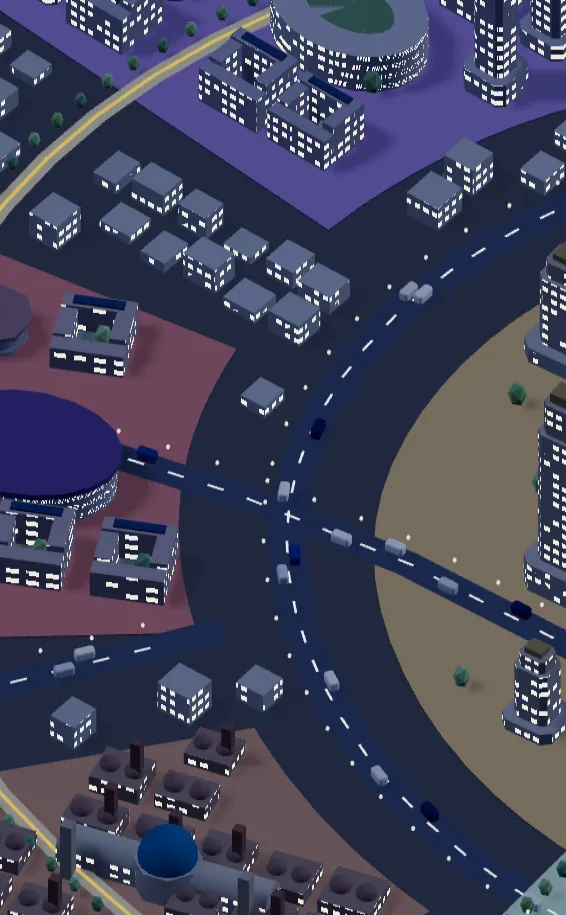
The SeeXR Hall, the covered bazaar and a lit walking loop: a city that is safe and calm at night.
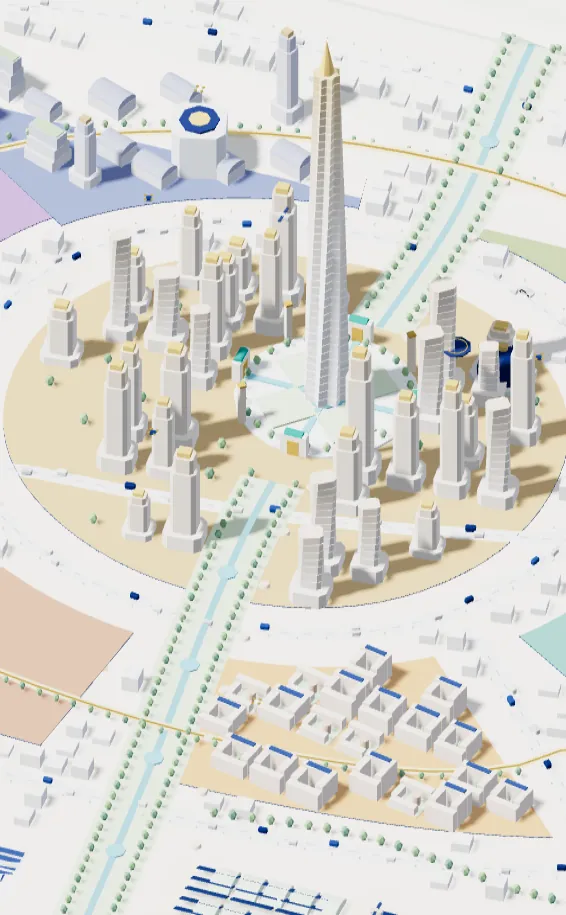
Every building is tested in the digital twin before it is built; construction comes in three phases.
Clean power, day and night.
Every drop, many times.
Fresh, from nearby.
No traffic, no fumes.
A city that understands, and keeps your privacy.
Before illness, close to home.
Life science, held in trust.
Learning for life.
Faster, safer, less waste.
Heritage and new experience, side by side.
For everyone, in every season.
A city you will want to see again.
A city fastback sedan with very low drag: fast, quiet and efficient.
A modular crossover and family shuttle that powers the house at night and gives power back to the grid.
An armoured multi-role vehicle for infrastructure and rescue; after an earthquake it is the first to arrive.
A heavy electric tractor for logistics that works mostly at night, in the freight corridors.
20 technologies
Example: The Star Tower’s windows make the power for their own floors.
Rollout:
Safety: Controlled reflection, so the glass never dazzles drivers.
Example: At 7 p.m., parked cars back up the district’s power.
Rollout:
Safety: Your car never drops below the charge level you choose.
Example: Delta trucks run long routes on hydrogen made from solar power.
Rollout:
Safety: Tanks sit far from homes, with leak sensors.
Example: The old qanat once again waters the garden spine.
Rollout:
Safety: Leak and water-quality sensors in every well.
Example: Shower water is treated and reused for irrigation and flushing.
Rollout:
Safety: Drinking and recycled water in separate, colour-coded pipes.
Example: Street rainwater goes back into the ground instead of the sewer.
Rollout:
Safety: Monthly satellite monitoring of land subsidence.
Example: From the heart to the airport in eight minutes.
Rollout:
Safety: Every capsule has an emergency exit and its own ventilation.
Example: The car comes to your door and goes to charge after dropping you off.
Rollout:
Safety: 30 km/h in districts; every trip has a human emergency stop.
Example: Medicine reaches your home in three minutes.
Rollout:
Safety: Fixed routes away from courtyards, with a 60 dB noise cap.
Example: Order at night; it is in a locker near home by morning.
Rollout:
Safety: Robots and people work in separate spaces.
Example: Before a street closes, its effect on traffic and ambulances is seen first.
Rollout:
Safety: The twin suggests; people decide.
Example: A camera sends only how many people pass, never faces.
Rollout:
Safety: Processing on the device; no raw image is ever stored.
Example: Step inside for a check-up and simple first treatment in minutes.
Rollout:
Safety: A doctor confirms every diagnosis.
Example: On polluted days, school plans and bike routes adjust automatically.
Rollout:
Safety: Air data is open to everyone.
Example: A home’s walls are printed in two days.
Rollout:
Safety: Each design is earthquake-tested in the twin before printing.
Example: The bazaar’s old buildings sit on bearings that absorb the shaking.
Rollout:
Safety: Sensors in every column and an automatic report after every tremor.
Example: New windcatchers draw in polluted air, filter it and return it cool.
Rollout:
Safety: Filters run on solar power with live monitoring.
Example: Street surfaces are up to ten degrees cooler at summer noon.
Rollout:
Safety: Light, low-glare finishes that don’t tire the eye.
Example: Greens are picked in the morning and at the market by noon.
Rollout:
Safety: No chemical pesticides; treated recycled water.
Example: Seconds before shaking, lifts stop and gas shuts off.
Rollout:
Safety: A monthly drill so everyone knows what to do.
Nothing found.
2026–2030 | 150,000 people
The heart, the living lab, the family district and the sun plain. The digital twin comes before the first brick.
2030–2035 | 600,000 people
Five new parts join up: campus, health, bazaar, culture and the dry port. The capsule line is completed.
2035–2040 | 1.3 million people
The foothills, mountain, lake, valley and sky gate. The complete city, with one integrated network.
Change the size of the city and see what it needs.
Population = area × density | 6 MWh of power per person a year; solar sized at a 24% capacity factor | Battery = 2 hours of solar capacity | Cost per person $62K at 100K people, falling on a log scale (exponent −0.08) | Capsule line = 2.4 × area^0.55 km | Trees = 4,000 per green km² | Water = 120 L per person, 95% recycled | Jobs = 52% of population
These are concept estimates for comparing scenarios, not a real budget.
No system scores or ranks citizens. Models are audited independently and in public every year.
Every serious decision has a responsible person and can be stopped with one button.
Brain and gene data are never sold and can’t be read without your own key.
Street level belongs to people and trees; heavy freight moves underground and at night.
Every sensor carries a sign and a code, so anyone can see what it measures.
City data is open to all, with no one’s name in it.
Work close to home, learning for life, and a team that builds the city together.
The garden spine and its pools fill with flowers and music.
High on the mountain, far from the city lights.
The living lab opens its doors.
Skiing, and gathering on the longest night of the year.
You can explore the ideas and browser examples here. The four main products are still concepts, as their labels show. These previews are not connected to live models, stores, robots or payments. Putting an idea to work needs a separate review of your needs and the required integrations.
Yes. The SeePrint example creates an STL for a simple tray, calculated from your dimensions. It does not use a generative model. Open the file in a slicer before printing and check millimetre units, wall thickness and machine settings.
Think of a task you repeat and what a good result looks like: writing product descriptions or sorting enquiries, for example. Open its sample and check the information it needs. If it fits your work, start with a small trial and someone responsible for reviewing the result.
Not necessarily. A model that looks good on screen may still need work on dimensions, wall thickness, tolerances or materials. An engineer needs to check it against the intended process and real manufacturing constraints.
Saved ideas stay in this browser, and the sample calculations run here too. You download a summary only when you choose to. These examples do not send your files or audio to an AI service.
Use the request button for that product and tell us briefly about the job and the result you want. We can then discuss available information, budget and a first trial. Actual cost and timing depend on the agreed scope.
A concept for a whole city where every SeeLab idea has its place: districts, the SeeMart fleet, the underground network and a citizens’ charter. The city is hypothetical; we don’t name a real one.
The 3D view is open to a limited audience for now. Without the password, the list beside the map and the sections below still show everything.
They are concept estimates for comparing scenarios, not a budget or a firm forecast. The formulas are written under the simulator.
It shows which kinds of work are likely to change and which skills gain value, so you can decide what to learn next, sooner.
Tell us which task takes your time. We’ll weigh the first step together.
This site only needs essential cookies to work. With your permission, we also use Google Analytics to learn which pages are most useful. It is your choice, and you can change it at any time. Cookie Policy