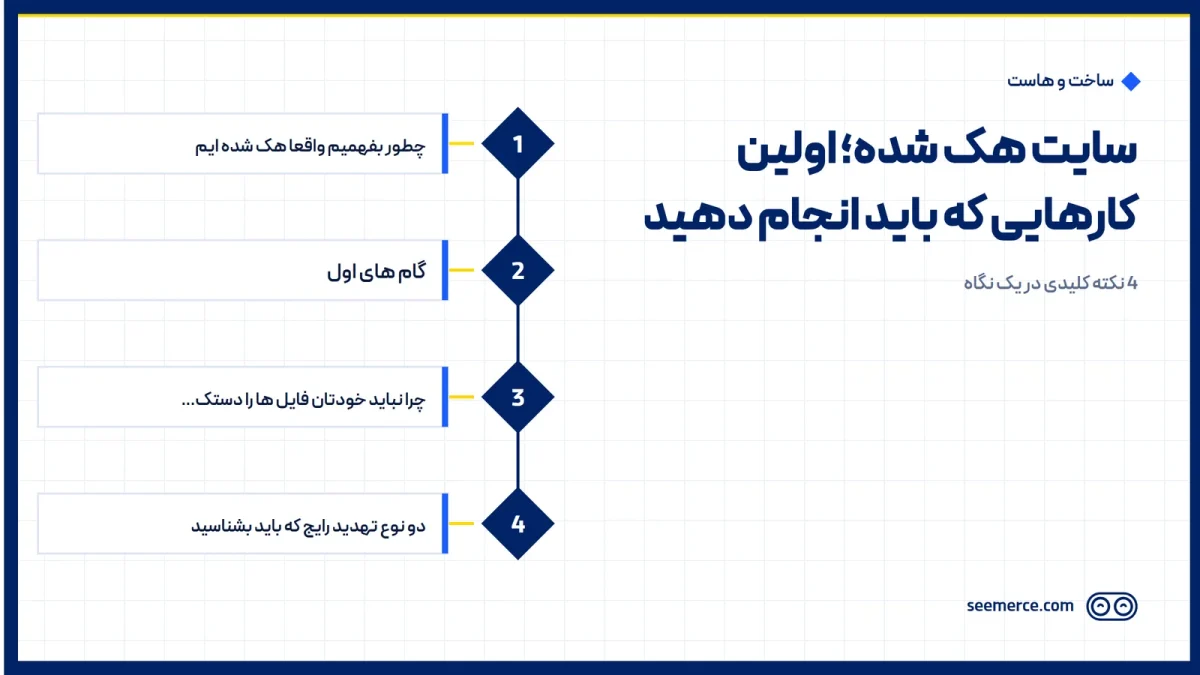
If you have just discovered your website has been hacked, first: stay calm, this is a solvable situation. What follows is the exact order of steps to take in the next few hours, not next week.
For immediate help you can call our website security team right now (+98 912 439 0265); while you wait for a response, work through the steps below in order.
How to confirm you have actually been hacked
Before doing anything, take the warning signs seriously, but do not act on guesswork. The most common signs of a hacked website are: unwanted redirects to suspicious or ad-heavy sites, a "This site may be hacked" or malware warning in Chrome or search results, strange pages or links you never added, a sudden unexplained traffic drop, or a warning email from your host or Google Search Console about suspicious activity. If you see any of these, assume you have been hacked and move into response mode.
First steps: what to do right now
The order of these steps matters. Skipping the order, such as changing passwords before cutting off the attacker's access path, can make cleanup harder.
- Stay calm and document what you see. Before changing anything, take screenshots of the hack message, the redirected page, or the Google warning. This documentation is needed later, both by the cleanup team and for the reconsideration request to Google.
- Change your passwords immediately. Change your hosting password, WordPress admin panel, FTP, and database passwords right now. If the attacker got in via brute force (repeatedly guessing a weak or reused password), they still have access until the passwords are changed, even if you remove the infected files.
- Take the site offline or into maintenance mode if possible. This stops the infection from spreading further and keeps malicious content from being shown to visitors and to Google, until a specialized cleanup can be done.
- Don't touch the files yourself; call a security team. The urge to manually delete suspicious files is natural, but without full knowledge of the malware/shell pattern (the file-level access the attacker has opened for themselves), part of the infection can be left behind, or restoring an old backup incorrectly can wipe out recent site data. Calling in a professional hacked-website cleanup removes the risk of these mistakes.
- Check and prepare clean backups from before the infection. If you have automatic backups, identify the last healthy version predating the breach. This version is the baseline the cleanup team compares against to quickly find changed or added files.
- After cleanup, request a review in Google Search Console. If Google has flagged the site with a "Deceptive site" or "Security Issues" warning, once you're certain the cleanup is complete, submit a reconsideration request from the Security Issues section to get the label removed.
- Install preventive layers so this doesn't happen again. A firewall and hardening, 24/7 monitoring, and regular automatic backups are three layers that absolutely should be turned on after a site has been hacked once; without them, the odds of a repeat attack stay high.
Why you shouldn't touch the files yourself
One of the most common mistakes after finding a hacked website is attempting a manual cleanup. The problem is that malware and shells are rarely confined to a single file; attackers often plant several parallel backdoors, so that if one is found and removed, they can get back in through another. Deleting one suspicious file without a full audit creates a false sense of security while the entry point stays open. On the other hand, restoring an old backup without checking whether that backup was itself already infected can reactivate the problem.
That's why, after changing passwords and temporarily taking the site offline, the best move is handing the cleanup to a team that knows both malware/shell patterns and brute-force attacks, and knows what firewall needs to replace the security gap after cleanup.
Two common threat types you should know
Most WordPress and business-site hack cases follow one of two patterns. First, malware and shells: the attacker enters through a weakness (an outdated plugin, a vulnerable theme, or a leaked password) and plants a control file (a shell) on the server that gives them full file-level access; from there they can create fake pages, alter your content, or use the site to send spam. Second, brute-force attacks: automated tools guess weak or reused passwords (passwords already leaked from other sites) by trying thousands of combinations to get into the admin panel. Knowing which one you're dealing with shapes both the cleanup and the prevention path.
A hacked site and the real SEO damage
Getting hacked isn't just a technical problem, it's an SEO problem too. Google flags an infected site with a warning, or removes it from search results entirely, and rankings you worked months or years to earn can collapse. As long as the "not secure" or "hacked site" label sits on your search result, a large share of your organic traffic is effectively cut off, even after the site is technically clean again. If your rankings are being monitored by an SEO team, notify them the moment you detect a hack so ranking loss and recovery are tracked alongside the technical cleanup.
What happens after cleanup
Based on our experience, technical cleanup and removal from Google's blocklist typically happens within 24 to 72 hours. This window depends on how extensive the infection is and how quickly you respond in the first hours; the sooner passwords are changed and the site is taken offline or handed to the cleanup team, the shorter this window tends to be.
What we don't do
Let's be honest: cleanup is usually completed within the shortest realistic window (24 to 72 hours), but that doesn't mean everything snaps back to normal instantly. Removing the "hacked site" label in Google Search Console is usually faster than the full recovery of rankings that dropped during that window; rebuilding Google's trust in a domain can sometimes take longer than the technical cleanup itself. We also don't promise that every piece of data or content an attacker changed or deleted is 100% recoverable; that depends entirely on whether a clean, recent backup exists, nothing else. That's exactly why we treat automatic backups as something you set up before you need them, not after.
Frequently asked questions
If I'm dealing with a hack right now, who should I contact first?
First change your hosting and admin panel passwords, then immediately contact a security team so they can guide the initial response while you wait for help, and prevent mistakes from manually touching the files.
Do I need to take the site fully offline?
If possible, yes; temporarily taking it offline or switching on maintenance mode stops the infection from spreading further and keeps malicious content from being seen by visitors and Google. If offlining isn't possible, make sure to tell the cleanup team so they can prioritize accordingly.
How long until the site clears Google's warning?
Technical cleanup and removal from Google's blocklist is usually done within 24 to 72 hours. Full recovery of any dropped rankings can take longer, since it also depends on rebuilding Google's trust in the domain.
Why shouldn't I delete the suspicious files myself?
Because malware and shells usually have several parallel entry points, and deleting a single file doesn't fully close the breach. An incomplete cleanup, or restoring an infected backup, can reactivate the problem; it's better left to a team that reviews the full infection pattern.

Comments and questions
No comments yet. If you have a question, we'd be glad to hear it.
Write a comment