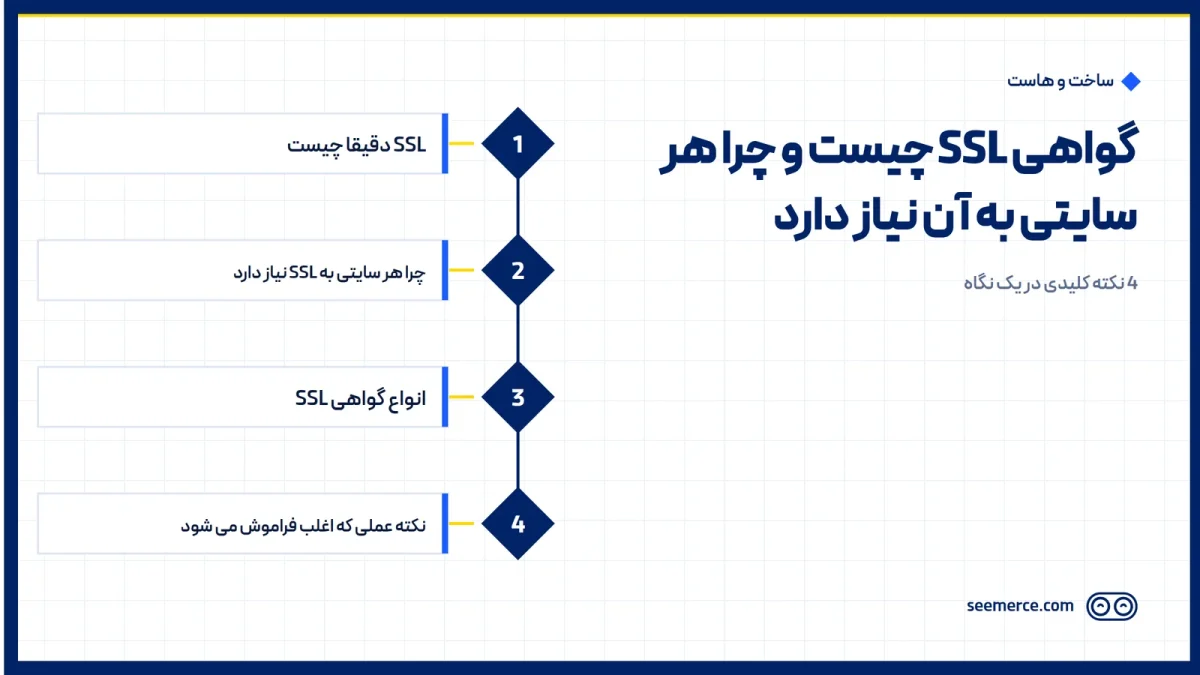
A lot of site owners assume SSL is only for online stores, since that's where card numbers get typed in. That's not true. Every site, even a simple blog or a company page with nothing more than a contact form, needs SSL. This post explains, plainly and without hype, what SSL is, why every site needs it, and — just as important — what it does not do for your site's security.
What SSL actually is
SSL (and its newer version, TLS) is an encryption layer between a visitor's browser and your site's server. When a site has a valid SSL certificate, any data exchanged between the visitor and the server — login credentials, payment details, or even a simple message typed into a contact form — is transmitted encrypted. That means if a third party sits somewhere on that connection path (for example on an unsecured public Wi-Fi network), they cannot read what's being exchanged.
The browser signals are simple: a lock icon next to the address bar, and the address starting with https instead of http. That extra "s" stands for Secure and tells you the connection is encrypted.
Why every site needs SSL, not just stores
The idea that SSL is only for online stores dates back to when certificates were expensive and complicated, so only sites handling money directly bothered installing one. That's no longer the case, and there are several practical reasons every site, regardless of business type, should have SSL:
- Modern browsers like Chrome and Firefox flag sites without SSL as "Not Secure," right next to the address bar — undermining a visitor's trust from the very first moment.
- Google treats https as one of its ranking signals. It's not a strong signal on its own and won't single-handedly boost rankings, but not having it is still a small negative that's not worth ignoring.
- Any form that collects visitor information — even a simple contact form with a name and email field — is interceptable without SSL. The site doesn't have to be an online store for this risk to exist.
- Many plugins, third-party payment gateways, and map or font services used on a site simply won't work correctly, or will throw warnings, over an unencrypted connection.
In short, SSL is no longer an extra feature for specific kinds of sites; it's a baseline standard for any site that wants to be taken seriously.
Types of SSL certificates, briefly
You don't need to dive into the technical details of certificate types, but it helps to know the two main categories:
- Free certificates, like Let's Encrypt: fully sufficient for most sites, with the same level of encryption as paid certificates. The key point is that they must be renewed automatically every few months.
- Paid certificates with extended validation: better suited for some businesses, such as financial organizations or brands that need their official company name displayed in the certificate. These usually carry an annual cost and involve a company identity verification process.
For most corporate, service, and blog-type sites, a free certificate with automatic renewal is entirely sufficient, with no need for extra cost.
The practical detail that's often forgotten: automatic renewal
Installing SSL is only half the job. A certificate has an expiration date, and if it isn't renewed before that date, the site is temporarily flagged as insecure, or in some cases becomes inaccessible altogether — browsers show a scary red warning that makes most ordinary visitors leave immediately.
That's why a proper SSL setup has to include automatic renewal, not a manual task someone has to remember. If your site doesn't have this in place, or you're not sure, checking and correctly installing SSL is one of the things handled through Seemerce's SSL service.
How to check whether your site's SSL is actually working
Checking SSL status isn't complicated, and any site owner can verify a few basics themselves. First, look at the browser's address bar: it should show https and a closed lock icon, not a warning or a crossed-out symbol. Second, click that lock icon to see certificate details, including the expiration date. If the expiration date is coming up and you don't have automatic renewal, now is the time to act — not the day a red warning shows up on the site.
Another detail that's easy to miss is mixed content: sometimes the main page loads over https, but some of the images, fonts, or scripts inside it are still being pulled from http addresses. In that case the browser may still show a partial warning or withhold the full lock icon. Fixing this usually requires reviewing the site's code and how file addresses are referenced — something that's part of a proper technical SSL review.
If your site has recently changed domains or hosting, or SSL was only just added to a site that didn't have it before, checking these details matters even more, since some internal links in older content may still point to the http version.
What we don't do
Let's be honest here: SSL only encrypts the connection between the visitor and the server — it does not prevent the site itself from being hacked. If someone is trying to break into the site's core, SSL creates no obstacle for them whatsoever. A few examples of threats SSL has nothing to do with:
- Malware and web shells: if an attacker manages to upload a malicious file to the server, having or not having SSL makes no difference to preventing that.
- Brute-force attacks: repeated attempts to guess an admin panel password have nothing to do with connection encryption and need to be restricted with separate tools.
- DDoS attacks: a flood of requests meant to take a server down happens independently of SSL and requires a different layer of protection.
That's exactly why sites that only have SSL, without other security layers like a firewall and hardening, 24/7 monitoring, or automatic backups, are still vulnerable to being hacked. SSL is one layer among several that are needed, not a replacement for all of them. If your goal is real site security, not just an encrypted connection, you'll find the fuller picture on the website security page.
Frequently asked questions
Does a simple blog site need SSL too?
Yes. Even without a payment form, browsers flag sites without SSL as insecure, which affects visitor trust. On top of that, any form that collects information, including a basic contact form, is interceptable without SSL.
Is a free SSL certificate less secure than a paid one?
No, there's no difference in encryption strength. The real difference is in identity verification and certain business-specific needs. For most sites, a free certificate with automatic renewal is enough.
What happens if an SSL certificate expires?
The browser shows visitors a warning that the site is insecure, and many will leave. That's why renewal needs to be automatic, not something that relies on a manual reminder.
Does having SSL mean my site is safe from hacking?
No. SSL only encrypts the connection between the visitor and the server — it doesn't prevent the site itself from being breached, whether through malware or brute-force attacks. Real security also requires other layers, like a firewall, monitoring, and backups.

Comments and questions
No comments yet. If you have a question, we'd be glad to hear it.
Write a comment