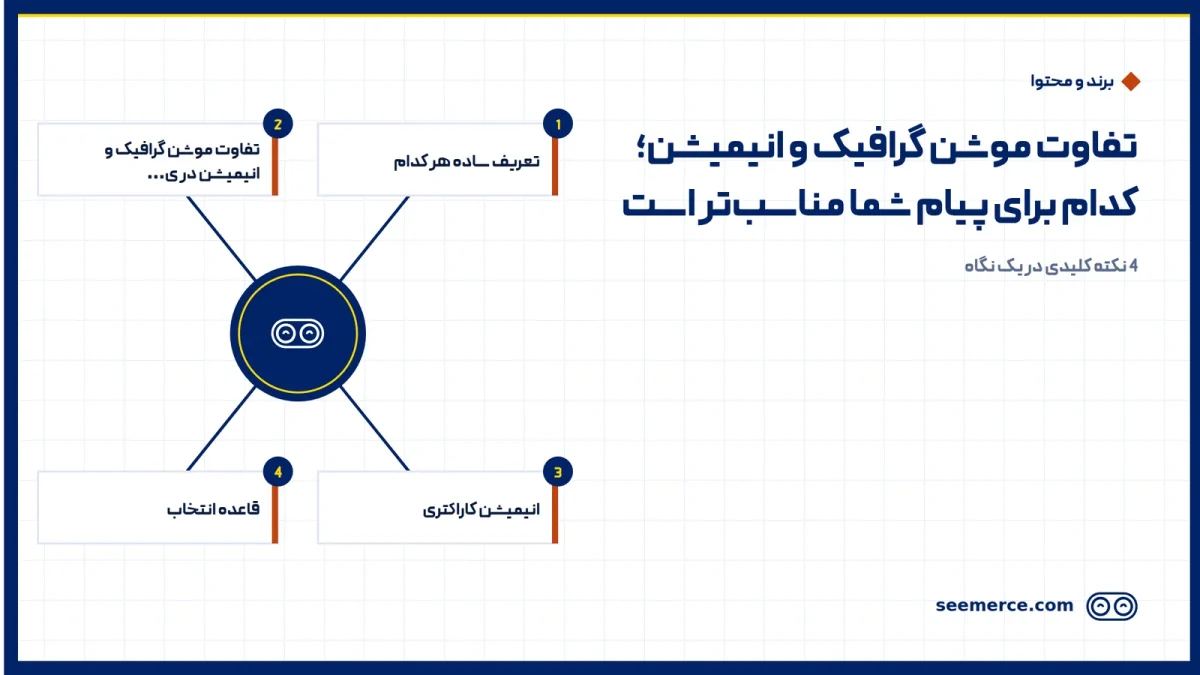
The difference between motion graphics and animation comes down to one thing: purpose. Motion graphics means moving text, icons, charts and shapes to deliver a message or explain an idea. Animation means bringing characters and an imagined world to life to tell a story. If your message is about "what" and "how", motion graphics is usually enough. If it's about "who" and "how it feels", you're closer to animation.
In this post we put the two side by side. You get a comparison table and a simple rule for picking one. At the end we also say briefly where live-action filming beats both.
A plain definition of each
Motion graphics: graphic design that moves. Its backbone is information. A number grows. A chart rises. The steps of a service appear one by one. The viewer understands something.
Animation: movement for characters and scenes that behave and feel. Its backbone is story. Someone has a problem. Something happens. Something changes. The viewer feels something.
Both come from the same family and are made with similar tools. That's why the two names often get used in place of each other. If you want the roots and uses of the first one in more depth, read what motion graphics is and where it's used.
Motion graphics vs animation: a quick table
This table comes from our own projects. Times and costs are relative. They only make sense when you compare two videos of the same length.
| Criterion | Motion graphics | Animation |
|---|---|---|
| Main goal | Explain, teach, show data | Tell a story, build feeling and connection |
| Storytelling | Linear and message-led; story is optional | The heart of the work, with a beginning, a conflict and an ending |
| Characters | Usually none, or simple and symbolic | Designed characters with expressions and behaviour |
| Production time for a 60s video | About 2 to 4 weeks | About 5 to 10 weeks or more |
| Relative cost | Baseline | Usually 2 to 4 times |
| Ease of editing and updates | High; changing a number, text or logo is quick | Lower; changing a scene is tied to character movement |
| Typical uses | Service intros, explainers, reports, short social ads, product UI | Narrative brand ads, children's content, mascot launches, emotional campaigns |
The update row matters more than it looks. An app explainer usually needs changes within a few months, because screens and prices change. In motion graphics that's a few days of work. In character animation, a whole scene may have to be rebuilt.
Character animation: the middle ground
Between the two sits a style that causes most of the confusion: character animation in a motion graphics format. It's a video built on message and information, but with one or two simple characters guiding the viewer through it.
In cost and time it sits right in the middle. The character needs design and a rig, but doesn't need detailed facial acting or cinematic movement. In our work, a large share of requests that arrive labelled "animation" are actually this. When we open the brief, the client wants a character to show the customer's problem, and the rest of the video explains the service.
Our working rule: if the character is on screen for less than half the running time and text and graphics carry the main message, we treat the project as character-led motion graphics, not full animation. That one call can bring time and cost down noticeably. We've laid out the styles we produce, from flat and typographic to character and 3D, in the motion graphic styles on our services page.
A simple rule: which one fits your message
Before you pick a style, write your video's core message in one sentence. Then see which line below it's closest to:
- If your message is "here's how this service works": flat or isometric motion graphics. Steps, numbers and app screens read more clearly as graphics.
- If your message is "look at this number or result": data-led motion graphics with charts and kinetic typography.
- If your message is "our customer had this problem": character-led motion graphics. One simple character is enough for the viewer to relate.
- If your message is "this is how our brand feels" and you have the budget and time: full animation with a story and well-developed characters.
- If your message is "these people, this place, this real product": live-action filming. More on that below.
Two more constraints can shift the answer:
- Time: if you have less than three weeks until launch, set full animation aside. Flat motion graphics or a shorter video is the realistic choice.
- Budget: on a tight budget, a short video done cleanly beats a long animation done poorly. Clumsy character movement stands out more than having no character at all.
A quick example: a business wants to introduce its online booking system. The one-sentence message is "book in three steps, no phone call needed." That's a "how" message. We'd suggest a 45-second motion graphics video, with a simple character only in the first five seconds to show the waiting queue. Full animation would multiply the cost here without making the message any clearer.
Motion graphics or live-action filming
The next question we usually get is this: should we make a graphic video at all, or film? Each one wins in different situations.
Filming wins when:
- Trust is tied to people, such as introducing a doctor, a teacher or a team.
- The product is physical and its texture, size and material matter, such as food, clothing or interior design.
- The space itself is the message, such as a restaurant, a hotel or an event.
Motion graphics wins when:
- The subject is invisible or abstract, such as software, financial services, insurance or an internal process.
- The content changes regularly and you don't want to reshoot every time.
- Locations, actors or filming permits aren't available.
- The same video has to go out in several languages. Swapping text and voice in graphics is simpler than dubbing real footage.
For filming and live-action video, see our video and music video production page.
Hybrid: when you want both
Sometimes the best answer is a mix. Real footage of the product or people, with motion graphics on top for numbers, labels and step-by-step explanations. This works very well in product intros and training videos.
A mistake we see often is this: the graphics get added after the shoot. The result is frames with no room for text and a camera that keeps moving. On hybrid projects, we decide at the script stage which shots will carry graphics. The camera operator then leaves empty space and keeps the camera steadier in those shots. That coordination decides the final quality more than any tool does.
Common mistakes when choosing
- Choosing a style before the message: the client has seen a sample and wants that style, while their message needs something else. We always write the one-sentence message first.
- Too much script for the time: a natural Persian voiceover runs at about 2 to 2.5 words per second. So a 60-second video has room for roughly 130 to 150 words. In story-driven animation that number is even lower, because pauses and expressions take time too. Our guide to writing a motion graphic script walks through this step by step.
- A character with no role: a character who just stands in the scene costs as much as animation but does a motion graphics job. Either give them a role or remove them.
- Forgetting about updates: if the content will change within six months, pick a style that's cheap to change.
What we don't do
- We don't recommend a more expensive style just because it's more expensive. If flat motion graphics gets your message across better, that's what we'll tell you.
- We don't sell a simple motion graphics video under the name "animation". We write the exact name of each style in our proposal, so both sides know what to expect.
- We don't start production without a one-sentence message and a script.
- We don't push you towards a graphic video when real footage would serve you better.
If you're still undecided between these options, send us your brief. With Seemerce's motion graphic services, the first step is exactly this: turn the message into one sentence together, then choose the style.
Frequently asked questions
Is motion graphics a type of animation?
Yes. Technically motion graphics is a subset of animation, because both work by creating movement frame by frame. The difference is purpose. Motion graphics is made to deliver information, and animation is made to tell a story with characters.
Which is cheaper, motion graphics or animation?
For videos of the same length, motion graphics is usually cheaper and faster. Character animation needs character design, rigging and more detailed movement. That's why in our experience it usually takes two to four times the time and cost.
Which is better for a product explainer video?
In most cases motion graphics. Steps and app screens are clearer as graphics and easier to update later. If you want to show the customer's problem with more feeling, a simple character at the start of the video is enough.
Can live-action footage and motion graphics be combined in one video?
Yes. For physical product intros or training videos, it's often the best choice. The key is to decide where the graphics go at the script stage, so the filming is planned around them.

Comments and questions
No comments yet. If you have a question, we'd be glad to hear it.
Write a comment